Intro
If you’re like me and like animating, you might have noticed that the price and options of animation programs have been changing for the worse. Back in the winter of this year, adobe made an unforced error of sunsetting “Adobe Animate”. After a huge backlash they changed their tune to not releasing major updates for it, just stability updates. The damage was already done, however and masses of animators decided to change their workflow.
With a major company signaling that it’s not interested in updating their animation software, it begs the question: “to whom shall I go”? That’s where I come in to give some advice. I’ve used a bunch of animation programs professionally and as a hobby over the years so my insight might be of some value. In this blog I’ll go over the programs that are worth learning, along with their pros and cons so you can be aware of any pitfalls before investing in any new ecosystem.
Let’s get started!
My recommendations
Adobe Animate
Why you should use it
Adobe Animate is still a powerful program. Even though it will not be getting any new features, Adobe has mentioned that they will still put out stability patches. Who knows for how long that will last, but at least in the immediate future it should be fine to use. This is also helpful if you use Animate regularly and want to transition into a different program over time. I wouldn’t recommend staying on the program though, because Adobe has proven to be very erratic and there’s not much point in building your projects on such shaky ground. I do think, what is possible in the future is for some indie developer to make an exact copy of Animate, like what was done for Gimp when adobe decides to give up on Animate for good. Fingers crossed.
Pros
Industry standard animation program
Easy to use (can be learned in a day)
Has decent rigging features and a standard library feature
A very cheap way to get started with digital animation
Cons
No more feature updates
Subscription based
Possible the program will not run on the next generation of Mac or Windows software
Most studios and animators will move on, losing it’s industry standard title due to Adobe’s guffaw
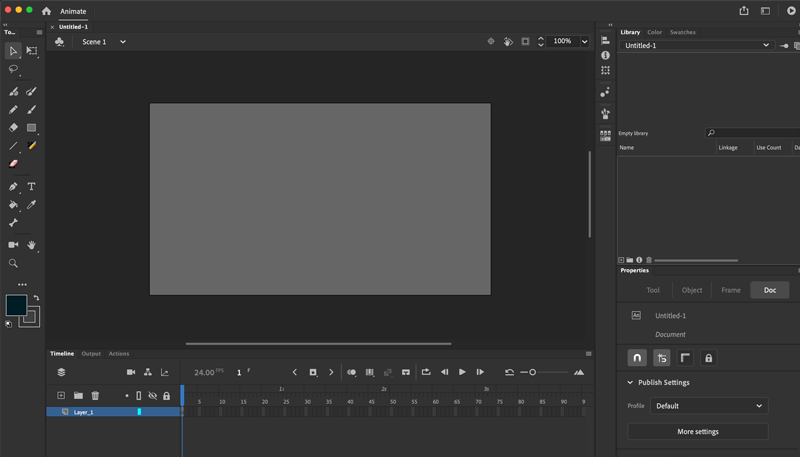
Adobe animate Ui
Toonboom Harmony Premium
Why you should use it
The various editions of Toonboom Harmony are the heir apparent of animation software. Unfortunately with rising costs for their premium version, who knows how long that will last. Harmony, on paper is the best animation software ever engineered, in my humble opinion. Its features are unmatched, and it makes the animation process so efficient that indie animators can do productions that can compete with TV shows while making them at home. Currently I use Harmony Premium, so I can’t speak on the other 2 versions, but this version of the program is perfect for people that want to produce shorts, or want to work in the professional world (provided the studio they work at also uses it). The software gets decently sized yearly updates, and bug fixes every few months. It is the most optimized for frame to frame animation, but its rigging tools are also very versatile. The software does have a very steep learning curve, and there is a lot to learn but once you get a grasp on the tools and features, it is a dream to use.
Pros
The best drawing experience in an animation program
Dizzying amount of animation tools, perhaps the most feature rich rich animation program
Great rigging features, but cumbersome to engage with
New versions of the program are coded much better and crash rarely, even with large rigs
Good compositing and lighting tools
Brush versatility: vector and raster based brushes, along with different ways to customize each
Runs on a 3d engine and can import 3d models
Cons
Not user friendly, at all
Very expensive
Subscription based for new users
Rigging is unintuitive
To make the most out of the program, you need to read the manual to understand all of the extensive features
I use Toonboom Harmony to animate all of my shorts now.
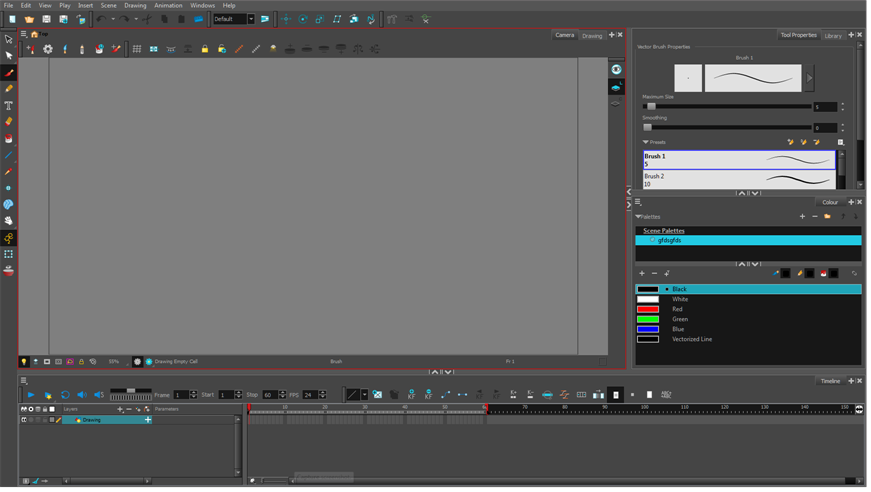
Toonboom Harmony Ui
Moho
Why you should use it
Moho has been getting a ton of attention the past few years. Unlike Adobe Animate or Toonboom Harmony, Moho is primarily a rigging based animation program, as opposed to a hand-drawn animation program. Some of the showreels of what creators have been able to make is genuinely impressive and gives me hope for the future of animation software. I recently just started using the program to learn it, and there is a lot to love but it is very different from standard animation programs. There are a lot of features and rigging is seamless - by far the best program for rigged animation. However it does lack a robust hand animation tool set and the traditional tools are limited. Still, if you’re an indie animator and want to produce content, this might be a great option if you are not already entrenched in a different software ecosystem.
Pros
The most user-friendly rigging tools of any animation software
Really nice tools for compositing
A lot of flexibility in modifying the characteristics of your drawings without having to re-animate things
Perpetual license only and upgrade discounts once you’ve invested in the ecosystem
Cons
Has a tendency to crash frequently on Mac
Very limited drawing and hand animation tools
Puzzling and non-standard tool functionality makes learning the program harder than necessary
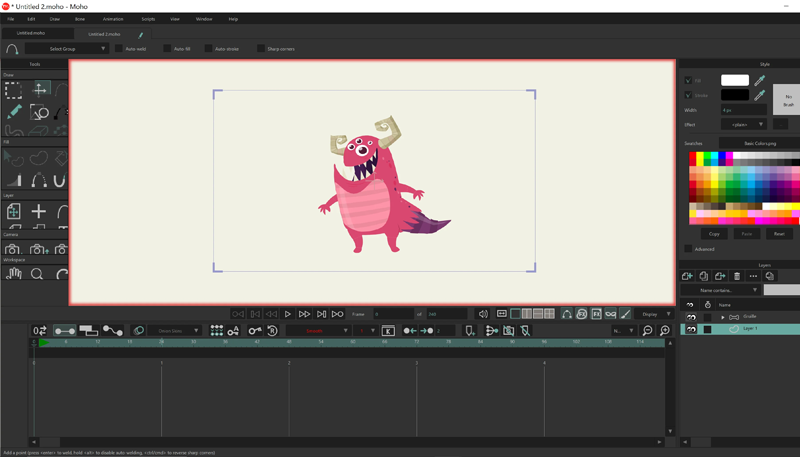
Moho Ui
TvPaint
Why you should use it
Most people might not have heard of TvPaint. It’s a French animation program that uses bitmap tools. If Toonboom Harmony is the Swiss Army knife of animation programs, TVpaint is the trusty club that you like to hit things with. It does traditional animation perfectly, but that’s all it can do. In recent versions they have added library functionality and rigging options, but this is very much a program limited to facilitating the hand drawn process to a computer. It is hyper focused on giving users a painless, smooth and easy hand drawn animation experience. Since the program is also bitmap based and not vector, users will be limited to destructive transformations of their art (as in, scaling or transforming induce quality loss in the assets). I used an older version of this program years ago and I loved it, but it is very much not a program for speedy animation. If you love drawing and traditional animation and simply want to focus on that, this is the program for you. In another way, if you’ve ever animated in photoshop, this is like that but on steroids, as the program is engineered with animation in mind. All that said, like any good tool this is an investment. Be prepared to spend some money if you want to invest in this ecosystem.
Pros
Excellent drawing experience tailored to those who love drawing on paper
Simple and intuitive user interface
No learning curve; If you know how to use photoshop you can pick this up in a day
Modern versions have expanded tool selection to speed up drawing
Lightweight program which has never crashed on me
Perpetual license only and upgrade discounts once you’ve invested in the program
Cons
Very expensive
Raster based drawing tools are limited to destructive transformations, and your assets will be blurrier after using them
Basic tool set
No compositing or special fx tools
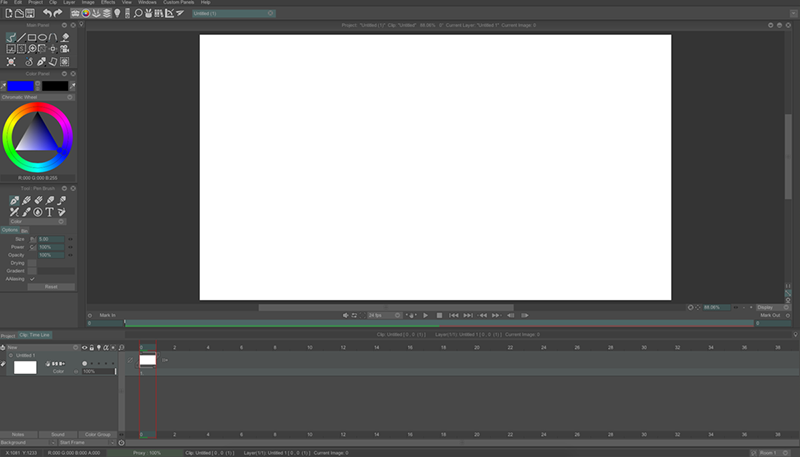
TV Paint Ui
Toonsquid
Why you should use it
Toonsquid is perhaps the most exciting piece of software on this list. A very humble program found exclusively on the iPad, it is perhaps Adobe Animate’s perfect successor. Boasting most industry standard animation tools, rigging features, an FX library, and containing vector and raster based drawing tools, Toonsquid is a portable studio quality program. I was shocked when I got my hands on it, and how extensive the feature set is. It does take a little time to transition into using it, if you are primarily a desktop user, but honestly I think it’s worth it. Had this program been available to me before I started animating my content, I would have prioritized this instead of Toonboom Harmony! That said, to be clear the features are no where near as extensive as they are in Toonboom Harmony, but they are comparable and do surpass the features in Adobe Animate. That’s a lot of power to put in a mobile device. You can definitely use it to produce content while enjoying your morning coffee at the cafe.
Pros
Industry standard animation features: drawing library, vector and raster based brushes with customization
Basic rigging capability
Good special fx and compositing features
Perpetual license
Cheapest barrier of entry into digital animation at a single $20 fee
Mobile animation capabilities allow you to work on the go
Easy to learn
Regular free updates
Cons
iPad exclusive
Lacks polish
Ui needs work
The drawing experience is a bit cumbersome

I used Toonsquid in the production of “Help Desk”
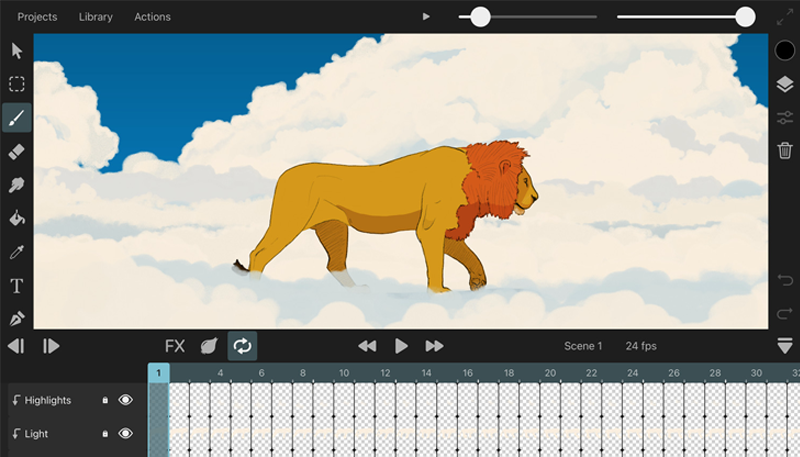
Toonsquid Ui
Notable Mentions
This section is for programs that I either used or heard of, but I found the experience lacking too many things to recommend. This doesn’t mean they are bad, just that they didn’t fit my workflow, which is essentially a studio based one. That said if you like to try new stuff, or any of the other programs did not do it for you, this might be up your alley.
Callipeg (iPad, Android, PC)
Procreate Dreams (iPad)
Rough Animator (iPad)
Clip Studio (iPad, Android, PC, Mac)
Blender (Android, PC, Mac)
Outro
Even though the animation landscape is always changing and in flux, there are still some great options for creators to make stuff with. All of the programs here are genuinely good to use and worth their respective asking price, but what you go with should be dictated by what you need to do. If you want a studio quality production capability, you might need to invest in something more expensive. If you’re just a hobbyist, you might need something else.
If I had to suggest 1 animation program to anyone, I would go with Toonsquid. The feature set, price, and flexibility make it the lowest barrier of entry to make animated projects. It’s not perfect but it nails the most important things for an animation program to have. Thanks for reading!
-Until next time-
The things you fear as a kid vs when you’re an adult are very different. One day stairs are your friend, the next a bitter enemy 😩